
Table of Contents
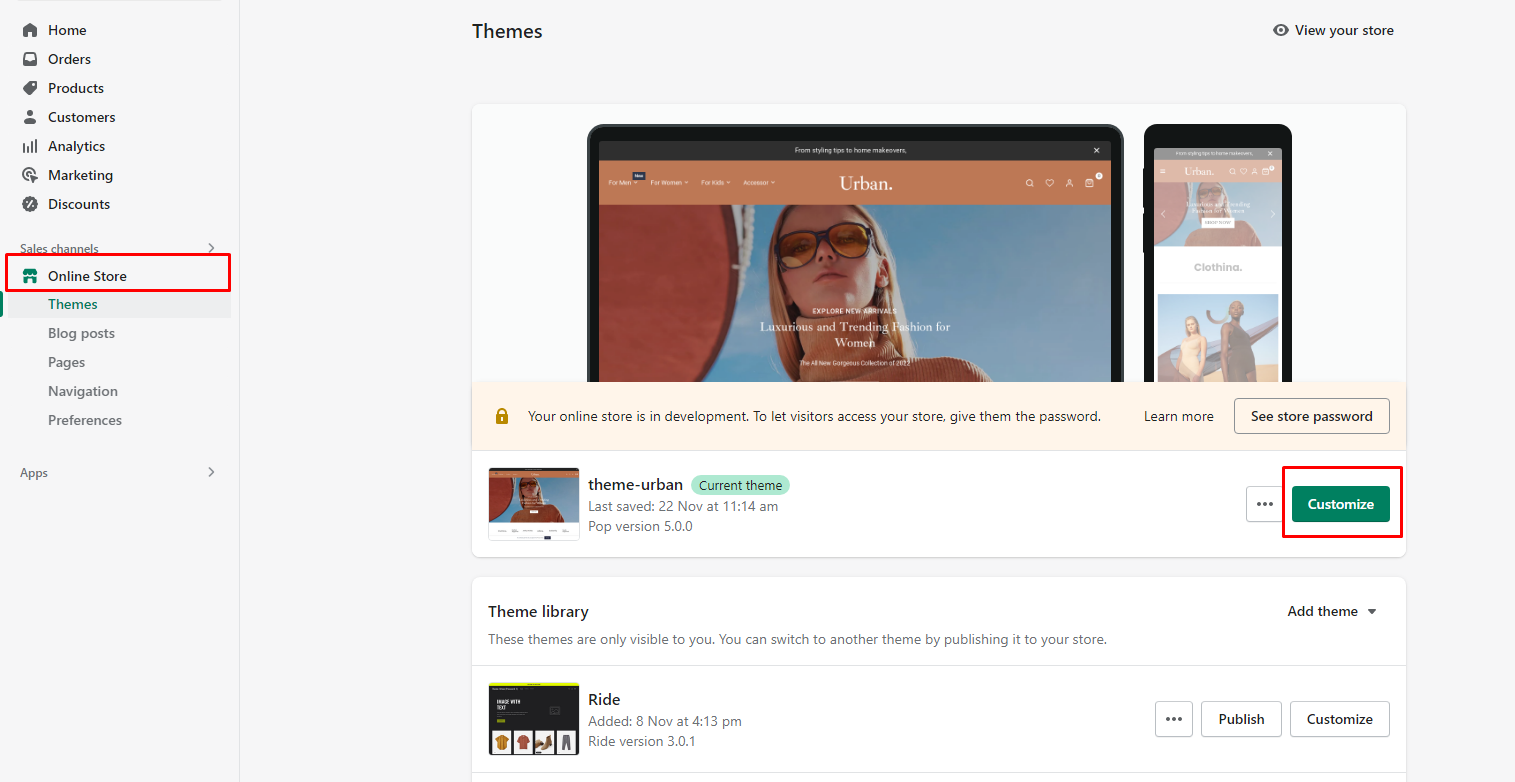
Step:1 go to admin > online-store > Customize
Step:2 Select pages > contact


Step 3 Enter your map embed iframe tag.

Step: 4 You can find this iframe embed from Google .
- Go on the Google Maps website (https://www.google.com/maps).
- Search for the location you want to display on the map.
- Once the map is displayed, click on the menu icon (three horizontal lines) in the top left corner.
- Select “Share or embed map” from the menu.
- In the dialog box that appears, click on the “Embed a map” tab.
- Customize the map size and other settings as desired.
- Copy the generated iframe code.

Latest Shopify Products #
-
 From: $60
 -
 From: $60
 -
 From: $60
 -
 From: $60
 -
 From: $60
 -
 From: $60


