
$
$
Product successfully added to your shopping cart.
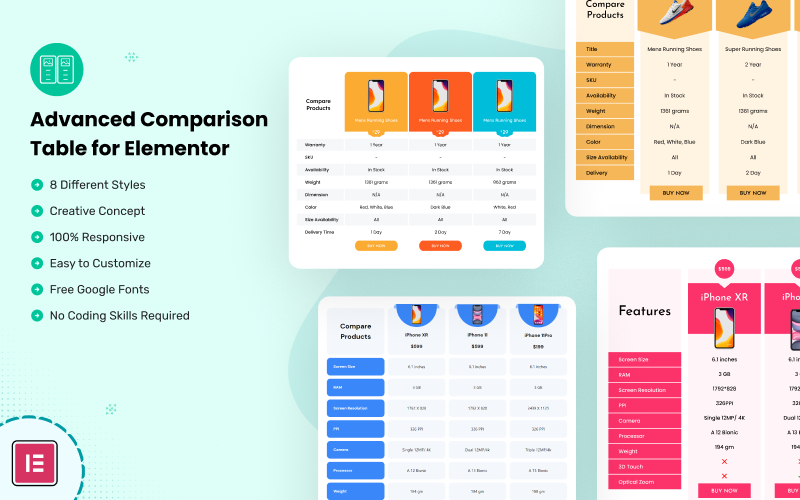
Advanced Comparison Table for Elementor helps organize products, pricing plans, service packages, and feature specifications into clear comparison layouts. Suitable for eCommerce stores, SaaS websites, product review blogs, and business websites, it provides a structured way to present information and help visitors evaluate their options.



Advanced Comparison Table for Elementor is a design resource for creating clear, structured comparison tables on WordPress websites built with Elementor. It is suitable for businesses, bloggers, product reviewers, service providers, and website owners who want to present product specifications, pricing plans, service features, or other information in an easy-to-understand format.
Comparison tables help visitors evaluate multiple options side by side, making complex information easier to scan. Whether you are comparing products, outlining subscription plans, presenting service packages, or highlighting differences between solutions, this resource provides a practical starting point for organizing important details.
A well-structured comparison table allows users to review multiple options without navigating between separate pages. Use comparison layouts to organize information into rows and columns, helping visitors identify differences, evaluate features, and understand the value of each option.
Adapt the content to your website's subject and audience, keeping labels concise and arranging the most relevant information where visitors can find it easily.
Advanced Comparison Table for Elementor can support a variety of website types and content strategies, including:
Use this resource within an Elementor-based WordPress workflow to help create a consistent presentation of comparison information. Adapt the content and visual styling to match your website's branding, including colors, typography, headings, and supporting text, according to the capabilities of the supplied design or implementation.
A consistent comparison layout can improve readability and help maintain a cohesive appearance across product pages, service pages, landing pages, and other areas where visitors need to evaluate alternatives.
Comparison tables are particularly useful when visitors need to assess several options before taking action. Organize essential features, benefits, limitations, and pricing details so that differences are easy to understand. Where appropriate, include clear calls to action that guide visitors to product pages, service details, or relevant enquiry forms.
For the best experience, keep tables focused, use descriptive labels, and avoid overwhelming visitors with unnecessary information. Consider how the comparison content will appear on mobile devices, where wide tables may require responsive styling or horizontal scrolling.
Every website has different content requirements and visual standards. Adapt the comparison presentation to your brand identity and the information you need to communicate. Use consistent formatting for headings, feature descriptions, pricing details, and supporting information to make comparisons easier to follow.
Whether you are presenting a few product options or outlining several service tiers, a clear comparison structure can help visitors understand the available choices and find the information most relevant to their needs.
Advanced Comparison Table for Elementor is suited to website owners, content creators, marketers, and developers who want to present comparative information in a structured format. It can be used as part of a broader content strategy to support product discovery, service evaluation, and informed purchasing decisions.
Note: Exact capabilities depend on the supplied product files and implementation. Before installation, review the included documentation, compatibility requirements, and any dependencies. Features such as dynamic product data, interactive sorting, or advanced responsive behavior should not be assumed unless explicitly supported by the product.
$ 14
Payment Accepted By

Our live chat support team will assist you with all of your pre-sale questions