
$
$
Produit ajouté avec succès à votre panier.
Il semble que vous n'ayez encore rien ajouté à votre panier.
Continuer mes achats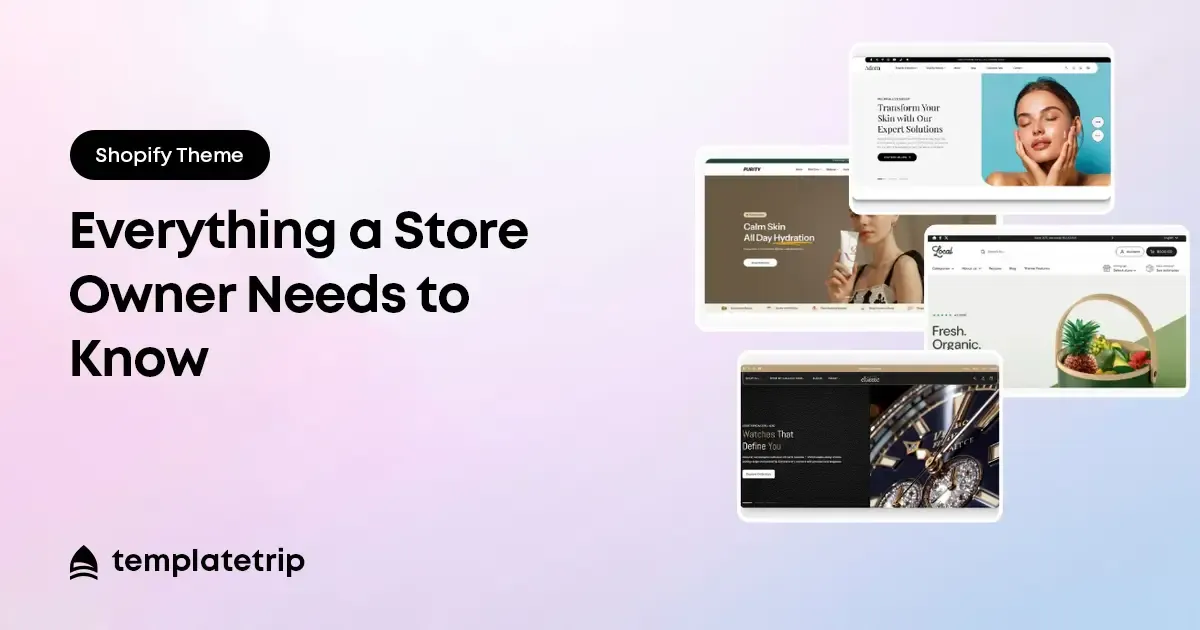
Si vous créez une boutique Shopify pour la première fois, vous avez presque certainement rencontré le terme « thème Shopify » – et vous ne savez peut-être toujours pas exactement ce qu'il signifie, ce qu'il fait et comment en choisir un. Ce guide explique tout ce qu'un propriétaire de magasin doit savoir sur les thèmes Shopify, de leur nature à la manière de les évaluer en vue de leur achat.
Un thème Shopify est un modèle de conception prédéfini qui détermine l'apparence de votre boutique Shopify et, dans une large mesure, son fonctionnement. Lorsque vous installez un thème sur votre boutique Shopify, il contrôle la présentation visuelle de chaque page (page d'accueil, pages de produits, pages de collection, panier, paiement, blog, etc.), ainsi que la typographie, la palette de couleurs, la structure de navigation et les fonctionnalités et sections spécifiques disponibles dans l'éditeur de boutique de Shopify.
Considérez un thème Shopify comme le plan architectural et la décoration intérieure du bâtiment de votre magasin. Les produits que vous ajoutez, le texte que vous écrivez et les images que vous téléchargez constituent le contenu du bâtiment. Le thème est le bâtiment lui-même : les murs, la disposition, le style et les caractéristiques. Vous meublez le bâtiment avec votre contenu ; le thème fournit la structure dans laquelle vit ce contenu.
Shopify propose des thèmes gratuits via sa boutique de thèmes officielle. Ce sont de véritables points de départ fonctionnels, notamment pour les magasins en phase de lancement. Cependant, les thèmes gratuits sont conçus pour servir un large éventail de cas d’utilisation, ce qui signifie qu’ils servent rarement particulièrement bien un créneau spécifique. Ils ont également moins d’options de personnalisation et moins de variations de mise en page que les thèmes premium.
Les thèmes Shopify payants ou premium – disponibles sur TemplateTrip et d'autres marchés – offrent plus de mises en page de conception, plus d'options de configuration, des fonctionnalités plus spécifiques à une niche et généralement une meilleure documentation et une meilleure assistance aux vendeurs. Les thèmes premium constituent un achat unique, pas un abonnement, et ils sont maintenus par leurs développeurs au fil du temps.
La boutique de thèmes officielle Shopify répertorie les thèmes approuvés directement par Shopify, dont le fonctionnement est garanti correctement avec la plateforme. La sélection est limitée – moins de 200 thèmes au total – et les prix ont tendance à être plus élevés, avec de nombreux thèmes premium allant de 180 $ à 350 $.
Les marchés tiers comme TemplateTrip offrent une sélection beaucoup plus large à des prix généralement inférieurs – les thèmes Shopify premium sur TemplateTrip vont généralement de 39 $ à 99 $. Ces thèmes passent par le propre processus d'examen de la qualité du marché. Un thème bien évalué par un vendeur de marché réputé avec plus de 50 ventes et une bonne note est un achat fiable.
Vous verrez fréquemment des thèmes Shopify décrits comme compatibles « Shopify 2.0 ». Cela fait référence à l'architecture de la boutique en ligne 2.0 introduite par Shopify en 2021, qui a considérablement élargi la possibilité pour les propriétaires de magasins de personnaliser leurs magasins sans code. Les thèmes Shopify 2.0 permettent l'édition de sections par glisser-déposer sur chaque page (pas seulement la page d'accueil), prennent en charge les métachamps natifs pour les données de produits personnalisées et permettent l'intégration de blocs d'applications pour ajouter des fonctionnalités tierces sans modification du code.
En 2026, tous les nouveaux thèmes Shopify devraient être des thèmes Shopify 2.0. Tous les thèmes Shopify du catalogue actuel de TemplateTrip — Umbro 2.0, Kinderjoy 2.0, ecomart, Monstera et autres — sont construits sur l'architecture Shopify 2.0.
L'étape la plus importante dans le choix d'un thème Shopify consiste à évaluer la démo en direct. Chaque thème Shopify légitime sur n'importe quel marché réputé aura un lien de démonstration en direct - une version fonctionnelle du thème remplie d'un contenu de démonstration réaliste que vous pouvez parcourir sur votre téléphone et votre ordinateur avant d'acheter.
Lorsque vous parcourez la démo, demandez : ce thème vous semble-t-il approprié au créneau et au positionnement de la marque de mon magasin ? La page produit comprend-elle toutes les informations dont mes acheteurs ont besoin pour prendre une décision d’achat ? L’expérience mobile est-elle fluide et facile à naviguer ? Si vous répondez oui à ces questions et que le thème dispose d’un solide historique d’évaluation sur le marché, vous disposez de la base pour un achat en toute confiance.
qu'est-ce qu'un thème Shopify, thème Shopify expliqué, thème Shopify pour les débutants, comment fonctionne un thème Shopify 2026